 DESK
DESKYour files, straight across.
DeskTransfer sends files, apps, notes and links between your phone and your PC over your own network. Nothing is uploaded anywhere, and there is no account to make.
- No cloud
- No account
- Encrypted
- Free
One app for everything you move between phone and PC
Four tools that share one link between your devices.
Files
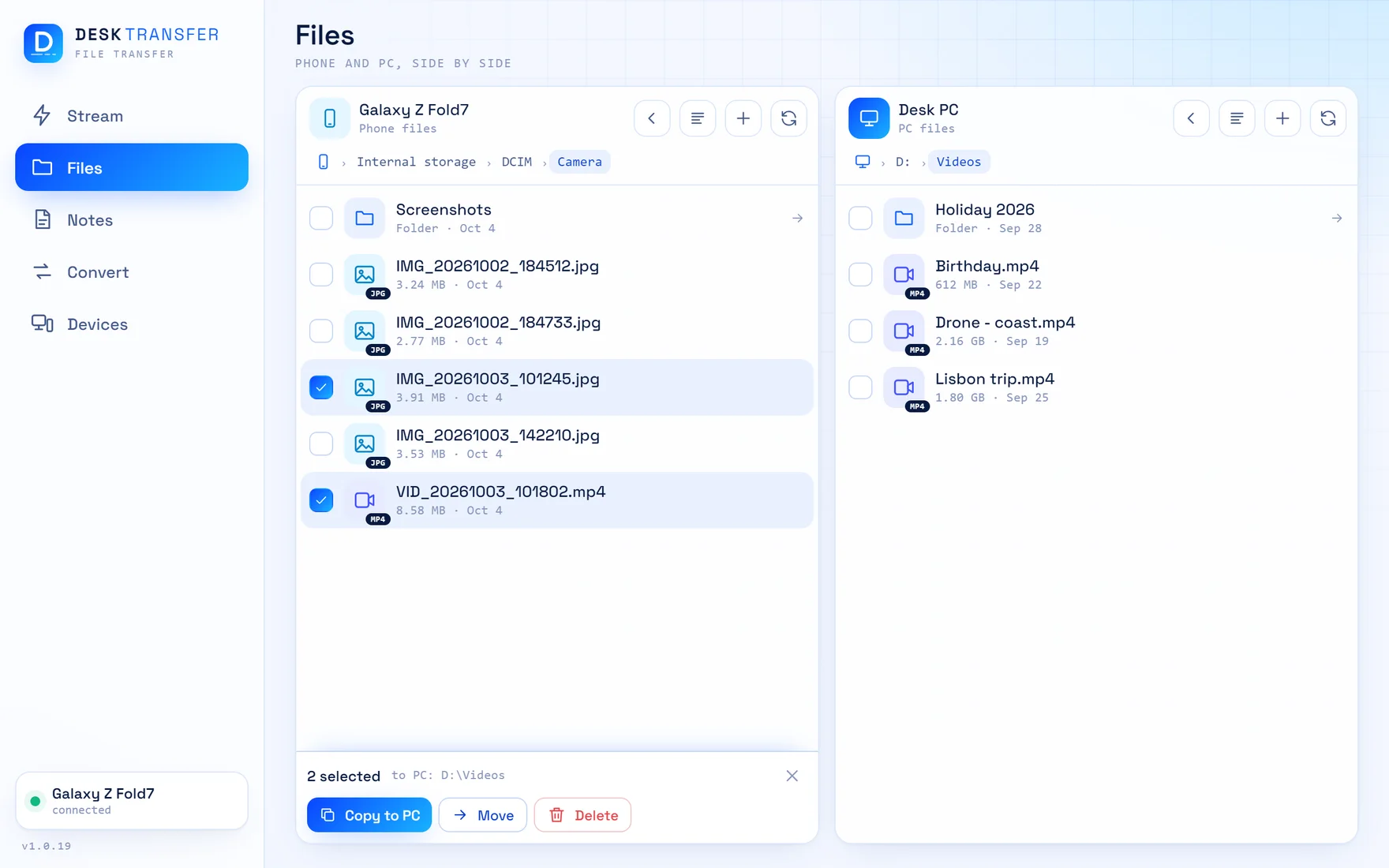
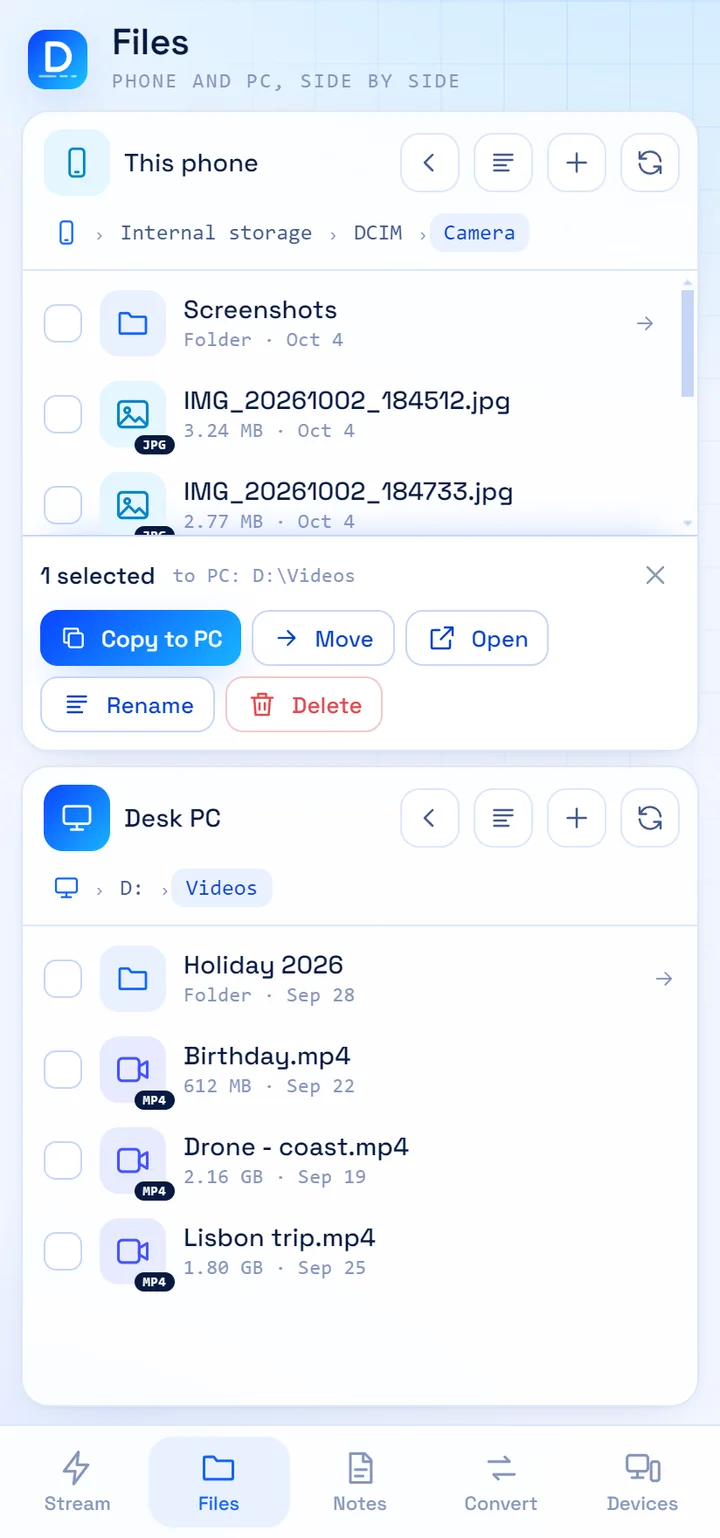
A two-pane file manager: the phone on one side, the PC on the other. Open a folder on each, tick what you want, and copy or move it across. Whole folders too.
Stream
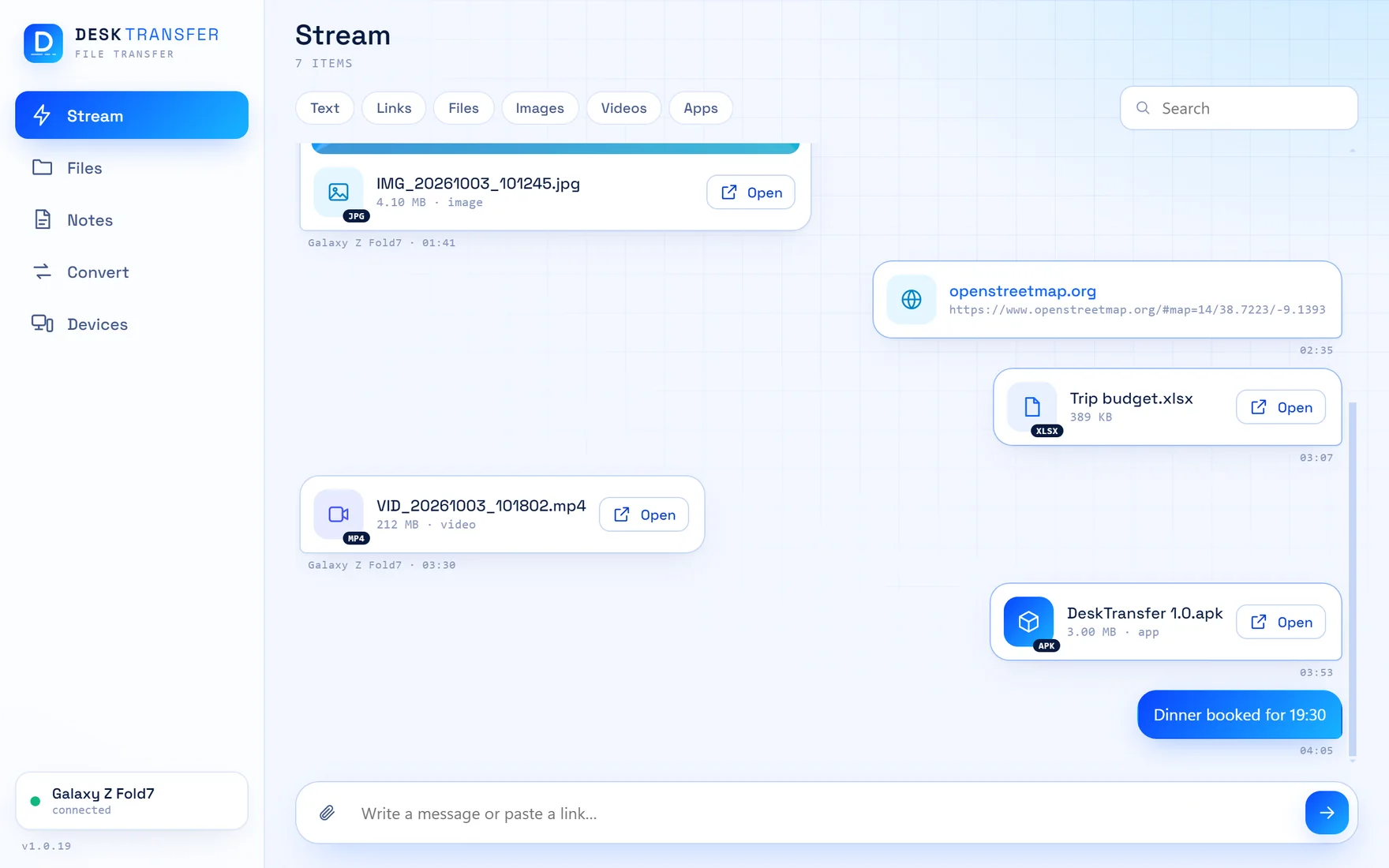
A thread between your own devices. Drop a file, paste a link or write a line on one, and it is on the other at once. Android's Share menu sends straight into it.
Convert
Change images, documents, audio and video into other formats, or zip and unzip. The PC does the work, even when you start from the phone.
Notes
One notebook that stays the same on both devices. Write without a connection and it syncs when the PC is back in reach.
Away from home
At home it uses your Wi-Fi. Outside, it reaches your PC through Tailscale, a private network you control, with a built-in check that shows whether it is ready.
Private by design
No servers of ours, no account, no ads, no tracking. Everything between phone and PC is encrypted, and the phone only talks to the PC you linked it with.
The same clean screens on both devices
Pick the destination, then send
Go to the folder you want in the other pane and that is where the files land. No hunting through a Downloads folder afterwards.
- Copy or move, in both directions
- Rename, delete and make folders on either side
- Live speed and time left while it runs
- A file is never overwritten: a second copy gets a new name
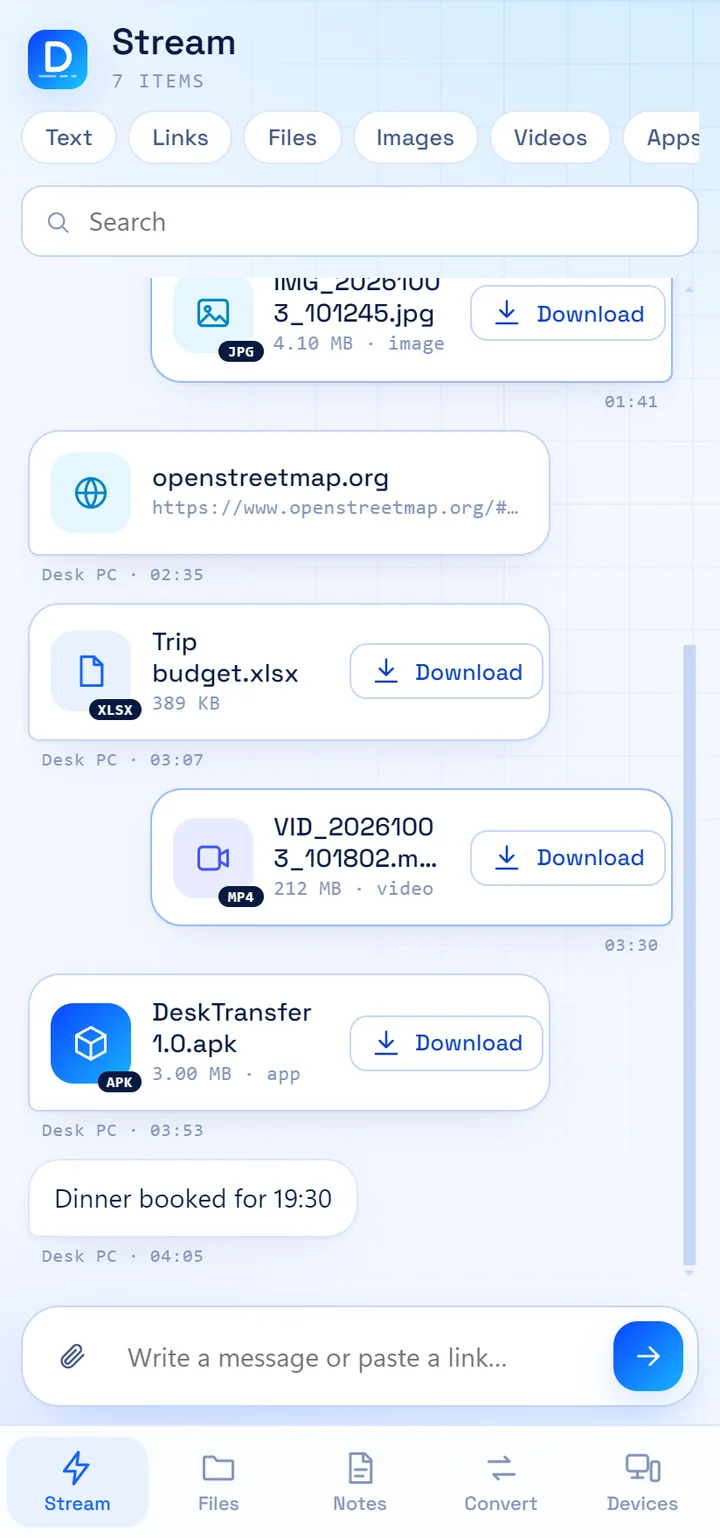
Send it to yourself, without the detour
The quick way for a photo, a link or an app file. It appears on the other device at once and stays there to find again.
- Drag and drop on the PC, Share menu on the phone
- Filters for text, links, files, images, videos and apps
- You choose where files are saved, on each device
- Nothing downloads or installs by itself
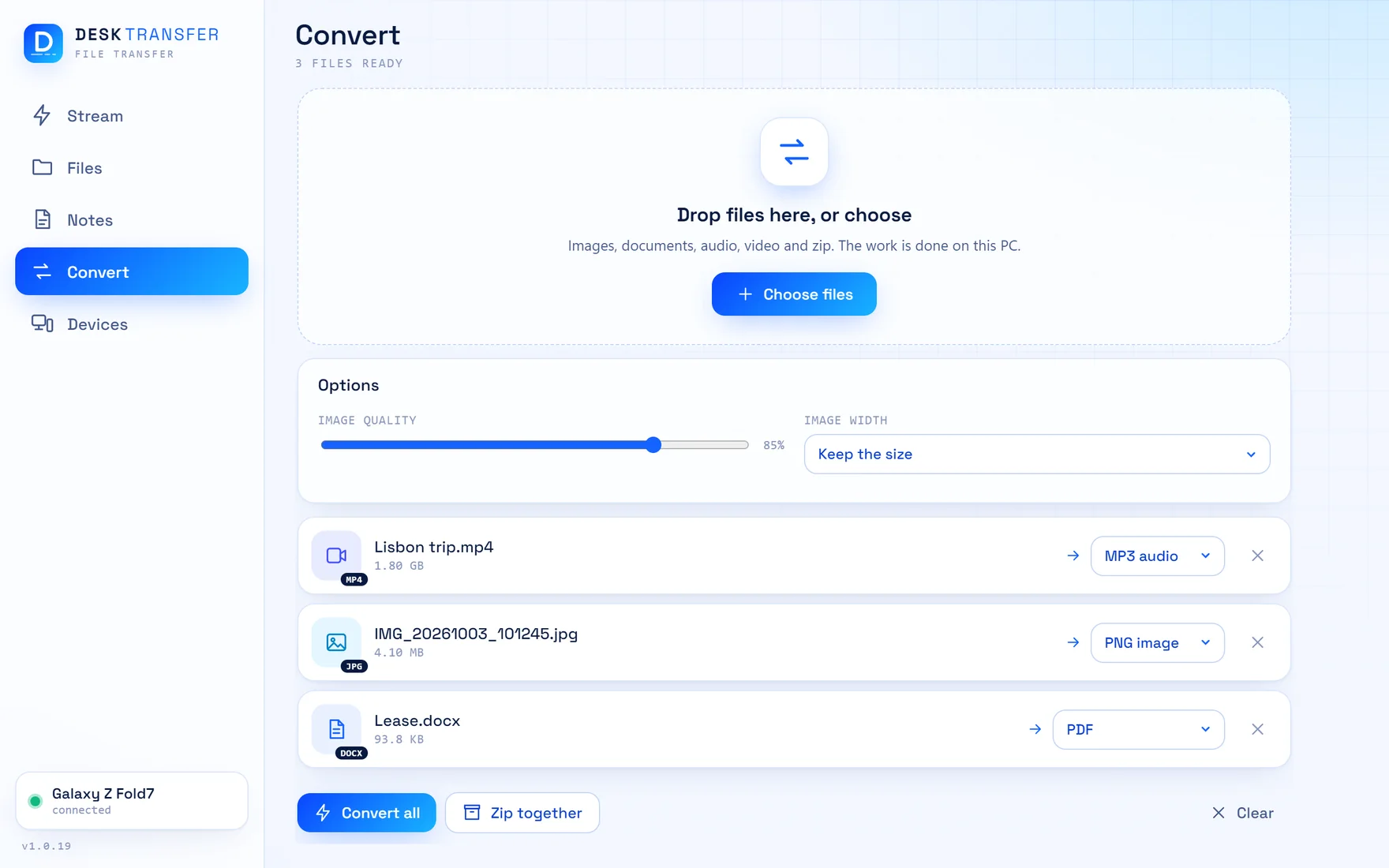
The right format, without another app
Pick files, choose what each should become, and press Convert. From the phone, the file goes to the PC, is converted there and comes back.
- Images: PNG, JPG, WebP, AVIF, GIF, TIFF, and into PDF
- Documents: text, Markdown, web pages, Word and PDF
- Video and audio: MP4, WebM, MKV, MP3, M4A, FLAC and more
- Zip and unzip
Linked in a minute
Your PC is the home base. The phone connects to it directly.
Install on your PC
Download DeskTransfer for Windows and start it. It stays in the tray so the phone can reach it.
Link your phone
Open Devices on the PC. Scan its QR picture with the phone app, or type the six-digit code.
Send
That is all. Files, links and notes now go straight between the two, at home and away.
Your files never visit us
Most transfer apps send your files through their servers. DeskTransfer has no servers. What you send goes from one of your devices to the other, and that is the whole journey.
- Encrypted between your devicesThe phone remembers your PC's certificate when you link them, and talks to no other.
- Nothing collectedNo account, no analytics, no ads, no crash reports sent anywhere.
- You decide what the PC sharesA linked phone sees one folder until you switch on access to the rest.
- The app does not phone homeIt makes no connection to this website or any other. Updates are yours to install.
Get DeskTransfer
Free. You need both: the program on your PC and the app on your phone.
Windows
Download for Windows7ec748d0e7858e310e08fcfd1fd923cb17599aa678195cf62a13eded120868d2Android
Coming soon to Google PlayGood to know
Is it really free?
Yes. The app is free, with no ads and no trial period.
Does it need the internet?
Not at home. Phone and PC talk over your own Wi-Fi. To reach your PC from outside, both need an internet connection and Tailscale, a free private-network app that you set up yourself.
How fast is it?
As fast as the connection between the two devices. On home Wi-Fi that is usually your Wi-Fi's speed; a PC on a network cable is faster than one on Wi-Fi. The app has a speed test under Devices that shows what your network gives.
Does my PC have to be on?
Yes. The PC is the home base: it holds the stream and the notes, and does the converting. DeskTransfer stays in the tray so the phone can reach it while the PC is on.
Why does the phone app ask for access to all files?
For the Files section, which is a file manager: it shows your phone's folders so you can copy and move things. You switch that access on yourself, and everything else in the app works without it.
Does it work with an iPhone or a Mac?
No. DeskTransfer is for Android phones and Windows PCs.
How do I update?
The phone app updates through Google Play. For the PC, download the newer installer from this page and run it; your settings and data are kept. The app tells you when the two versions do not match.